https://developers.cloudflare.com/learning-paths/get-started/
Thursday, August 24, 2023

Monday, August 21, 2023
AWS CodePipeline
- What is AWS CodePipeline and what are its main components?
AWS CodePipeline is a fully managed continuous delivery service that helps you automate your release pipelines for fast and reliable application and infrastructure updates. The main components of AWS CodePipeline are:
- Source: The starting point of the pipeline, where the source code is stored.
- Build: The stage where the code is compiled and built into a deployable artifact.
- Deploy: The stage where the built artifact is deployed to the target environment.
- Test: The stage where automated tests are executed against the deployed application.
- Approval: The optional stage where manual approvals can be required before progressing to the next stage.
- How does AWS CodePipeline integrate with other AWS services?
AWS CodePipeline can integrate with various AWS services, such as:
- AWS CodeCommit, GitHub, or Bitbucket for source control.
- AWS CodeBuild or Jenkins for building and testing.
- AWS CodeDeploy, Elastic Beanstalk, or AWS Lambda for deployment.
- AWS CloudFormation for infrastructure provisioning.
- Amazon S3 for storing artifacts.
- Amazon CloudWatch for monitoring and logging.
- How do you trigger a pipeline execution in AWS CodePipeline?
A pipeline execution can be triggered in several ways:
- Automatically when a change is detected in the source repository.
- Manually through the AWS Management Console, AWS CLI, or SDKs.
- Using Amazon CloudWatch Events or EventBridge for custom event triggers.
- What are the benefits of using AWS CodePipeline for continuous delivery?
- Faster and more reliable releases through automation.
- Improved collaboration between development and operations teams.
- Easier troubleshooting and rollback of changes.
- Better visibility into the release process with monitoring and logging.
- How do you ensure the security and compliance of your AWS CodePipeline?
To ensure security and compliance, you can:
- Use IAM roles and policies to control access to resources.
- Encrypt artifacts using AWS Key Management Service (KMS).
- Use VPC endpoints for secure communication within your VPC.
- Monitor and log pipeline activity with Amazon CloudWatch and AWS CloudTrail.
- Perform regular audits and reviews of your pipeline configurations.
- Can you explain how to implement a blue-green deployment using AWS CodePipeline?
A blue-green deployment can be implemented using AWS CodePipeline in combination with AWS CodeDeploy and Amazon EC2. Here are the steps:
- Set up two environments (blue and green) with identical infrastructure.
- Configure the pipeline to deploy the new version of the application to the inactive environment.
- Run automated tests against the new environment to ensure the application is functioning correctly.
- Use a load balancer to switch traffic to the new environment.
- Monitor the new environment and, if necessary, rollback by switching traffic back to the previous environment.
- How can you use AWS Lambda in AWS CodePipeline?
AWS Lambda can be used in CodePipeline as:
- A custom action to perform tasks that are not supported by built-in actions.
- A deployment target for serverless applications.
- An event trigger for starting pipeline executions.
- How do you handle pipeline failures in AWS CodePipeline?
To handle pipeline failures:
- Set up notifications using Amazon SNS to receive alerts when a failure occurs.
- Use the Retry action to retry failed actions automatically.
- Use manual approvals to review changes before deploying them to production.
- Implement rollback strategies to revert to a previous version if a failure occurs during deployment.
- What are some best practices for setting up and managing AWS CodePipeline?
Some best practices include:
- Organize your pipeline into stages to represent the different phases of your release process.
- Use parallel actions to improve pipeline execution times by running tasks concurrently.
- Minimize the blast radius by deploying changes to a small subset of instances before rolling out to the entire fleet.
- Separate build and test stages to simplify troubleshooting and identify issues faster.
- Use caching in AWS CodeBuild to speed up build times and reduce build costs.
- Keep your build and deployment scripts under version control to track changes and maintain a consistent release process.
- Monitor your pipelines using Amazon CloudWatch and AWS CloudTrail to identify issues and optimize performance.
- Implement proper access control using IAM roles and policies to ensure that only authorized users can modify your pipelines.
- How do you estimate the cost of using AWS CodePipeline, and what factors can influence the cost?
The cost of using AWS CodePipeline is based on the number of active pipelines and the number of actions executed per month. Factors that can influence the cost include:
- The number of pipelines you create and maintain.
- The frequency at which you execute your pipelines.
- The complexity of your pipelines (number of stages, actions, and parallel executions).
- Additional AWS services integrated with your pipelines, such as CodeBuild, CodeDeploy, Lambda, and S3, which have their own associated costs.
By understanding these factors and optimizing your pipeline configurations, you can manage and control the costs associated with using AWS CodePipeline.
Monday, August 7, 2023


Saturday, April 29, 2023
Ansible at Glance
Ansible is a combination of multiple pieces working together to become an automation tool. Mainly these are modules, playbooks, and plugins.
Modules are small codes that will get executed. There are multiple inbuilt modules that serve as a starting point for building tasks.
Playbooks contain plays which further is a group of tasks. This is the place to define the workflow or the steps needed to complete a process
Plugins are special kinds of modules that run on the main control machine for logging purposes. There are other types of plugins also.
The playbooks ran via an Ansible automation engine. These playbooks contain modules that are basically actions that run in host machines. The mechanism is followed here is the push mechanism, so ansible pushes small programs to these host machines which are written to be resource models of the desired state of the system.
What are the features of Ansible?
It has the following features:
- Agentless – Unlike puppet or chef there is no software or agent managing the nodes.
- Python – Built on top of python which is very easy to learn and write scripts and one of the robust programming languages.
- SSH – Passwordless network authentication which makes it more secure and easy to set up.
- Push architecture – The core concept is to push multiple small codes to the configure and run the action on client nodes.
- Setup – This is very easy to set up with a very low learning curve and any open source so that anyone can get hands-on.
- Manage Inventory – Machines’ addresses are stored in a simple text format and we can add different sources of truth to pull the list using plugins such as Openstack, Rackspace, etc.
Explain Ansible modules in detail?
Ansible modules are like functions or standalone scripts which run specific tasks idempotently. The return value of these are JSON string in stdout and input depends on the type of module. These are used by Ansible playbooks.
There are 2 types of modules in Ansible:
- Core Modules
The core Ansible team is responsible for maintaining these modules thus these come with Ansible itself. The issues reported are fixed on priority than those in the “extras” repo.
- Extras Modules
The Ansible community maintains these modules so, for now, these are being shipped with Ansible but they might get discontinued in the future. These can be used but if there are any feature requests or issues they will be updated on low priority.
Now popular extra modules might enter into the core modules anytime. You may find these separate repos for these modules as ansible-modules-core and ansible-modules-extra respectively.
What is a YAML file and how do we use it in Ansible?
YAML or files are like any formatted text file with few sets of rules just like JSON or XML. Ansible uses this syntax for playbooks as it is more readable than other formats.
What are Ansible tasks?
The task is a unit action of Ansible. It helps by breaking a configuration policy into smaller files or blocks of code. These blocks can be used in automating a process. For example, to install a package or update a software
What is YAML
YAML is a common programing language as a result of it’s human-readable and simple to grasp. It can even be employed in conjunction with different programming languages.
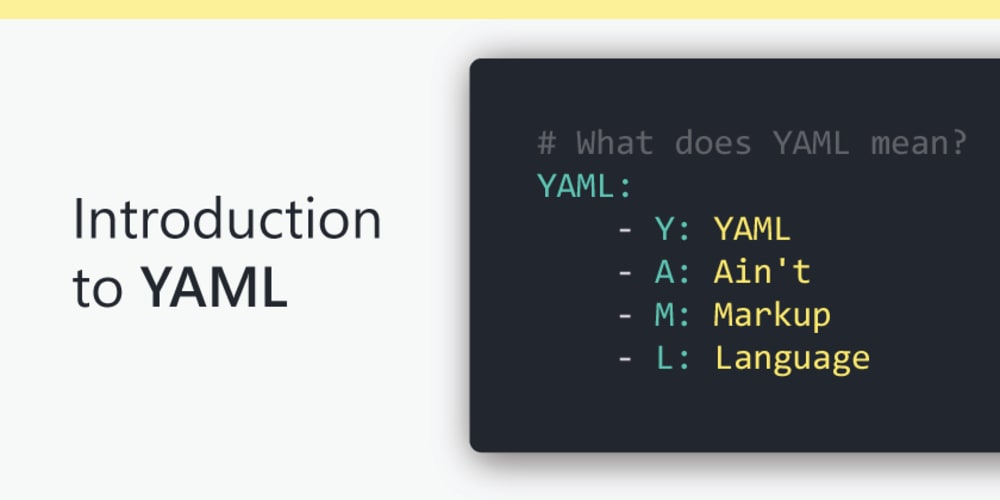
YAML has options that come back from Perl, C, XML, HTML, and alternative programming languages. YAML is additionally a superset of JSON, thus JSON files ar valid in YAML.
Ansible uses YAML for writing playbooks by default. Ansible does not support json format as YAML is easy to read and write with the human-readable data format. Ansible playbooks contain yaml code to play and automate the process.
YAML files are more readable than JSON, However processing JSON files are faster compared with YAML files.
JSON is more of a data agreement format used to send and receive between client and server systems. YAML is more of configuration storing data for different environments like QA, STAGE, and Production for deployments and build process
Wednesday, January 18, 2023
Check your DNS MX Records online
This test will list MX records for a domain in priority order.
MX Lookup Tool - Check your DNS MX Records online - MxToolbox
Subscribe to:
Posts (Atom)